Unable to Use Photoshop... How a Nordic Aesthetic Cosmetics Commercial Was Made in Just 30 Minutes
Trying Out GPT Image 2.0
"Create a Commercial Video with Just a Few Words"
Vibe Coding Leads to the Rise of Vibe Image
"I'm going to make a video advertising a Nordic aesthetic cosmetics brand. Generate a scene featuring a girl in a white dress with floral decorations, reminiscent of something from the movie 'Midsommar.'

Screenshot of a fictional cosmetic advertisement video created by a reporter using OpenAI GPT Image 2.0 and ByteDance's XiDance 2.0. Photo by Lee Eunseo.
View original imageBy describing an idea in natural language to artificial intelligence (AI), it was possible to create virtually any video in a short amount of time. Even without any experience using Photoshop or handling video equipment beyond a smartphone camera, the reporter was able to produce a cosmetics commercial in less than 30 minutes using only their own design and directing skills. Over the course of an hour, two different videos were created, ranging from commercial ads to animation, spanning various genres. Now, even non-experts can create videos like directors themselves—what is being called 'vibe design' has become possible.

A fictional cosmetic advertisement video created by a reporter using OpenAI GPT Image 2.0 and ByteDance's SiDance 2.0. Photo by Eunseo Lee.
View original imageThe character appearing in the video was generated with the help of OpenAI GPT Image 2.0. There was no need for complicated technical terminology. By describing the character's image and outfit in detail via text or voice, or by attaching reference photos, it was easy to instruct revisions until the desired image was achieved.

Reference setting guide for the commercial video created with GPT Image 2.0. Detailed cut-by-cut images can enhance the quality of the video. Photo by Eunseo Lee.
View original imageOnce the character image was complete, the large language model (LLM) was instructed to write the video prompt. The request also included, "Please ensure the video is consistent from start to finish." This is because, for a seamless video, the lighting, camera movement, and the character's face need to remain consistent throughout. After stating the plan to create a 10-second video composed of three scenes, the content for each scene—spanning 0–4 seconds, 4–7 seconds, and 7–10 seconds—was briefly outlined. Then, the AI was asked to "design a sequence prompt for each scene and generate block code." As a result, prompts were produced for each scene, specifying the timing, character movement, video speed, and color contrast.
In particular, it was possible to improve the video quality by creating a reference sheet (settings sheet) for the video production AI using GPT Image 2.0. By converting the prompt into a scene-by-scene image settings guide and entering both the settings sheet and prompt into ByteDance's XiDance 2.0, the video was completed in just five minutes.

A 15-second animation video created using Sydance 2.0 on Hicksfield, a design platform that allows combining AI design tools. After attaching the prompt and reference photo on the left side and waiting about 5 minutes, the video is generated. Photo by Eunseo Lee.
View original imageImages and Videos Instantly Generated with Just a Few Words
On April 28, on design platform Higgsfield and social networking services (SNS), there is a growing trend of using AI design tools such as GPT Image 2.0 and XiDance 2.0 to create advertisements, cinematic content, and gameplay videos through prompts. Following 'vibe coding,' in which code is written in natural language, 'vibe design'—where inspiration and ideas are described in natural language and designs are created in a short time—is rapidly becoming part of everyday life.
Common features of Google Labs' vibe design platform 'Stitch,' Anthropic's 'Claude Design,' and OpenAI's 'GPT Image 2.0,' all released in the past month, include the ability to use various forms of ideas—images, text, code—and implement a design in just a few minutes. Designers no longer need to create a separate initial sketch (wireframe) visualizing the concept and screen structure; now they can work directly with prompts.
Hot Picks Today
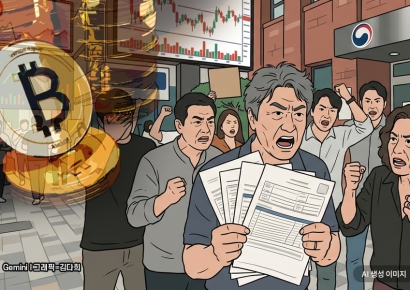 "Stocks Are Not Taxed, but Annual Crypto Gains Over 2.5 Million Won to Be Taxed Next Year... Investors Push Back"
- "Don't Throw Away Coffee Grounds" Transformed into 'High-Grade Fuel' in Just 90 Seconds [Reading Science]
- Signed Without Viewing for 1.6 Billion Won... Jamsil and Seongbuk Jeonse Prices Jump 200 Million Won in a Month [Real Estate AtoZ]
- "Groups of 5 or More Now Restricted"... Unrelenting Running Craze Leaves Citizens and Police Exhausted
- "Even With a 90 Million Won Salary and Bonuses, It Doesn’t Feel Like Much"... A Latecomer Rookie Who Beat 70 to 1 Odds [Scientists Are Disappearing] ③
To ensure that the main character's subtle features remain consistent throughout a video, users should specify the first and last scenes and divide the scenes by seconds when composing prompts to control the lighting naturally on screen. Here, the 'consistency maintenance' feature built into AI enables even non-experts to produce high-quality results. Recently, Google Labs provided the 'DESIGN.md' file format as open source, which allows users to maintain the same design style across multiple tasks and carry out projects more efficiently. Anthropic's Claude Design also analyzes the codebase to build a design system, automatically applying color schemes, fonts, and design components.
© The Asia Business Daily(www.asiae.co.kr). All rights reserved.